
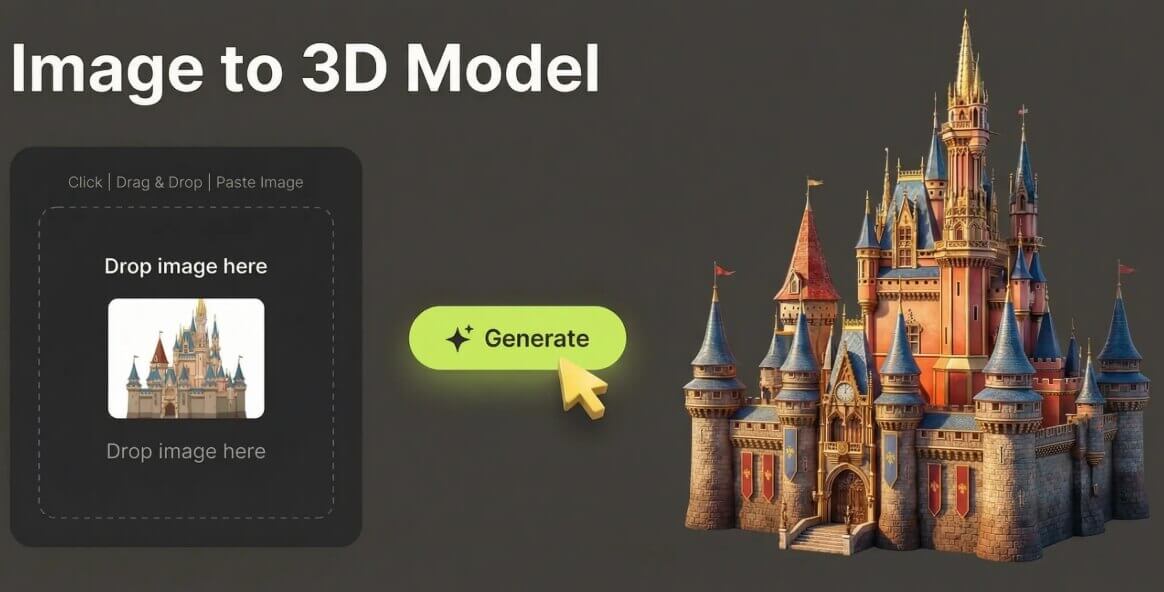
What Is an AI Image to 3D Model Generator?
An AI image to 3D model generator converts a flat 2D picture — a photo, a drawing or digital artwork — into a three-dimensional model with depth, geometry and textures. Instead of spending hours modeling by hand, you simply upload an image and the AI reconstructs the object in 3D within seconds.
This makes it incredibly easy for game developers, animators, product designers and hobbyists to create 3D assets from a single image. The output downloads in GLB format, the standard 3D file type used across game engines (Unity, Unreal), web 3D viewers, AR/VR experiences and 3D printing workflows.
Core Features of the AI 3D Model Generator
2D Image to 3D Model
Upload any JPG or PNG photo, drawing or artwork and get a 3D model back in seconds.
Accurate Geometry & Textures
Deep learning models reconstruct depth, shape and texture with production-ready quality.
White Model or With Texture
Toggle to generate a clean white model for printing or a fully textured model for scenes.
GLB Format Output
Download your 3D model in GLB, ready for Unity, Unreal, AR/VR, web viewers and 3D printing.
Free & Unlimited
Convert as many images as you want with no hidden costs, no watermarks and no subscription.
Privacy-Focused
Images are processed in real time and automatically deleted — never stored on our servers.
How to Convert an Image into a 3D Model (Step by Step)
Turning a 2D image into a 3D model takes less than a minute. Just follow these steps:
- Open the 3D model generator. Go to the AI image to 3D model page and drag & drop your image or paste it from the clipboard.
- Choose your mode. Toggle between White Model and With Texture depending on whether you want a clean printable mesh or a textured asset.
- Generate. The AI analyzes your image and builds the 3D model with accurate geometry and textures in seconds.
- Download & use. Download the GLB file and drop it into your game engine, AR/VR project or slicing software.
Pro Tips for High-Quality 3D Model Results
To get the most accurate and detailed 3D models from your 2D images, keep these tips in mind:
- Use clean, well-lit images. Good lighting and clear contrast help the AI read the object's shape correctly.
- Keep the background simple. A plain or solid background lets the AI focus on the main subject instead of extra details.
- Show the full object. Make sure the entire object fits in frame so nothing gets cut off during reconstruction.
- Upload the highest resolution you have. Larger images (up to 10MB) give the AI more detail to work with.
- Choose the right mode. Use White Model for 3D printing and clean renders, or With Texture for game and animation assets.
- Create the perfect source image first. You can generate the ideal 2D image with the AI image generator, or enlarge a small photo with the AI image upscaler before converting it to 3D.
Frequently Asked Questions (FAQ)
How does the AI image to 3D model generator work?
The AI uses deep learning models to analyze your 2D image, extract depth information and geometry, then generate a fully textured 3D model. The process takes just seconds and produces a ready-to-use result.
Is the 2D image to 3D model converter really free?
Yes. The AI image to 3D model generator is 100% free with unlimited conversions — no hidden costs, no watermarks and no subscription required.
Do I need to sign up to convert an image into a 3D model?
No. You can convert images to 3D models directly in your browser without creating an account or downloading any software.
What image formats are supported?
The tool supports JPG and PNG images up to 10MB. Photos, drawings and digital artwork all work well.
What can I use the generated 3D model for?
The model downloads in GLB format, ready for game assets, animations, AR/VR experiences, 3D printing, product visualization and other 3D design projects.
Is my uploaded image private and secure?
Yes. Your images are processed in real time to generate the 3D model and are automatically deleted from memory once the process is complete.