
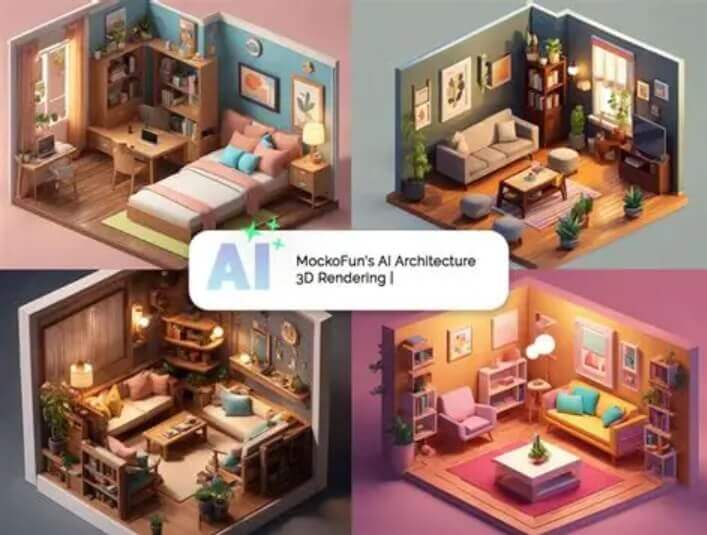
What Is AI Room Design Generator?
The AI room design generator is an online tool that uses AI image generation to turn a real photo of any room into a fully redesigned interior — including layout, furniture, colors and style. You simply upload a photo of your bedroom, kitchen, bathroom or living room, and the AI transforms it into a realistic, redesigned space in about 30 seconds, ready to save or share.
Unlike generic decor ideas, this interior design AI keeps your room’s actual layout, windows and proportions, so the new design genuinely fits your space. You can choose from a wide range of interior styles — from Scandinavian and Japanese Nordic to modern and industrial — or enter custom prompts for precise control over every detail. It is perfect for comparing layouts, decor styles and renovation directions before you move any furniture or invest in costly remodeling. Best of all, it is 100% free, with no watermark and no sign-up, and works right in your browser.
Core Features of the AI Room Design Generator
Any Room, Any Space
Redesign a bedroom, kitchen, bathroom, living room or any other interior from a single photo.
Realistic Results in ~30 Seconds
The AI converts your room photo into a fully redesigned interior in about half a minute, ready to save or share.
Wide Range of Interior Styles
From Scandinavian and Japanese Nordic to modern and industrial — preview completely different looks for the same room.
Keeps Real Layout & Proportions
The AI preserves your room’s actual layout, windows and proportions, so the new design truly fits your space.
Custom Prompts for Precise Control
Enter your own prompts to control every design detail — furniture, colors, materials and more — for exact results.
100% Free & No Watermark
Every design is completely free with no watermark and no sign-up, so you can save and share it anywhere.
How to Use the AI Room Design Generator (Step by Step)
Visualizing your redesigned room takes less than a minute. Follow these simple steps:
- Open the AI room design generator. Go to the AI room design generator page on AIDoImg.
- Upload a photo of your room. Drag and drop an image or click to upload from your device — a clear shot of the room you want to redesign.
- Pick a style or enter a custom prompt. Choose from interior styles like Scandinavian, Japanese Nordic, modern or industrial — or type your own prompt for precise control.
- Generate and download. Wait about 30 seconds for the AI to process, then preview and download your watermark-free redesigned room.
Pro Tips for the Most Realistic Room Design Results
To get the best redesigned interiors from the AI room design generator, keep these tips in mind:
- Shoot with good, even lighting. Natural light without harsh shadows helps the AI capture the room accurately for a cleaner redesign.
- Photograph from a corner. A corner-to-corner angle shows the full layout and proportions, which the AI preserves in the new design.
- Declutter before uploading. Clearing away everyday items lets the AI focus on the space itself and produce a more convincing result.
- Try several interior styles. The same room can look radically different in Scandinavian versus industrial style — compare before you decide.
- Use custom prompts for specifics. If you know exactly what you want — a green accent wall, walnut furniture, warm lighting — describe it in your prompt.
- Treat results as visual direction. AI-generated images are communication references, not construction blueprints — use them to plan, then consult a professional.
Want to redesign the people in your photos too? Try the AI gender swap to see a different version of yourself.
Frequently Asked Questions (FAQ)
Is the AI room design generator really free?
Yes, the AI room design generator on AIDoImg is 100% free to use, with no hidden fees, no watermarks, no sign-up and unlimited use. You can redesign as many rooms as you like.
Which rooms can I redesign with AI?
Almost any room. You can upload a photo of a bedroom, kitchen, bathroom, living room, home office or any other interior, and the AI will turn it into a realistic redesigned space in about 30 seconds.
What interior styles are available?
The tool offers a wide range of interior styles — from Scandinavian and Japanese Nordic to modern and industrial — so you can preview completely different looks for the same room.
Will the AI redesign keep the real layout of my room?
Yes. The AI preserves your room's actual layout, windows and proportions, so the redesigned interior genuinely fits your space instead of being an imaginary generic room.
Can I control the details of the design?
Absolutely. You can enter custom prompts for precise control over every design detail — furniture, colors, materials, lighting and more — on top of choosing a preset style.
Can I use the AI-generated images for construction or renovation planning?
The generated images are meant as visual direction and communication references only, not as construction blueprints. Use them to compare layouts and decor styles before moving furniture or investing in costly remodeling.