
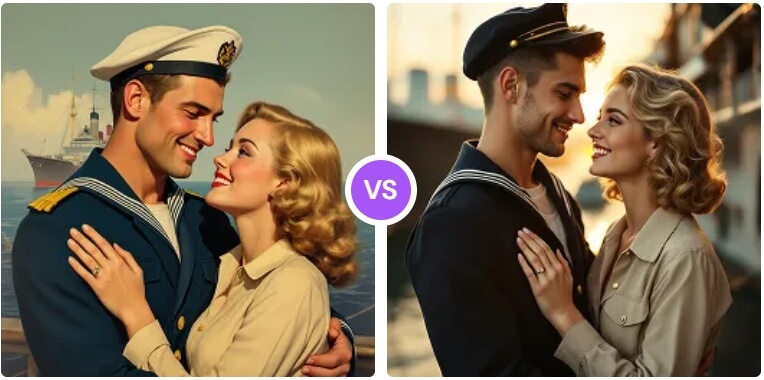
What Is an Image to Prompt Generator?
An image to prompt generator is an online tool that looks at a picture and describes it as a text prompt — the same kind of description you would type into an AI image generator. It reads the subject, style, colors, lighting and composition and turns them into words you can copy, reuse and remix.
The AIDoImg image to prompt generator is trained on thousands of proven AI prompts, so the descriptions it produces are detailed and practical rather than vague. Upload an image, choose a prompt style, and the tool returns a ready-to-use prompt that works with popular models such as Midjourney, Flux, Stable Diffusion and GPT Image. Paste the result into the AI image generator and you can recreate a similar look — perfect for studying great images, matching a visual style or building your own prompt collection.
Core Features of the Image to Prompt Generator
Prompt from Any Image
Upload a photo or an AI-generated image and get a detailed prompt that describes it.
Accurate AI Analysis
The AI reads subject, style, colors, lighting and composition for a faithful description.
Multiple Prompt Styles
Get prompts formatted for Midjourney, Flux, Stable Diffusion or plain descriptive use.
Copy & Edit Freely
Copy the generated prompt with one click and tweak any part of it before you generate.
100% Free & No Sign-Up
Use the tool as often as you like at no cost, with no account and no watermark.
Works on Any Device
Analyze images on desktop, tablet or phone — everything runs in your browser.
How to Use the Image to Prompt Generator (Step by Step)
Turning a picture into a prompt takes less than a minute. Follow these simple steps:
- Open the image to prompt generator. Go to the image to prompt page on AIDoImg.
- Upload your image. Drag and drop a photo or AI-generated image, or click to choose a file from your device.
- Pick a prompt style. Choose the format that matches your model — Midjourney, Flux, Stable Diffusion or a general description.
- Generate the prompt. Wait a few seconds while the AI analyzes the image and writes a detailed description.
- Copy, edit and recreate. Copy the prompt, tweak anything you like, then paste it into the AI image generator to create your own version.
Pro Tips for Getting the Best Prompts from Images
A generated prompt is a starting point. To get the most out of it, keep these tips in mind:
- Use a clear, high-resolution image. Sharp images with obvious subjects produce the most accurate and detailed prompts.
- Choose the right prompt style. Pick Midjourney or Stable Diffusion formatting if you plan to generate with that model.
- Edit the subject freely. Keep the style and lighting wording but swap the subject to create something new in the same look.
- Keep the style keywords. Words describing lighting, colors and mood are what give your new image the same feel as the original.
- Compare and refine. Generate with the prompt, compare it to the original image and adjust one detail at a time.
- Build your own collection. Save the prompts you like so you can reuse them as a personal prompt library.
Looking for inspiration instead? Browse the free AI image prompt library for ready-to-use prompts, or restyle your photos with the AI image style converter.
Frequently Asked Questions (FAQ)
Is the image to prompt generator really free?
Yes, the image to prompt generator on AIDoImg is 100% free to use. There are no hidden fees, no watermarks and no credit card required, and you can analyze as many images as you want.
Do I need to sign up to get a prompt from an image?
No. You can upload an image and get a ready-to-use prompt instantly without creating an account.
Which image formats can I upload?
The tool accepts the common image formats used by AI generators, such as JPG, PNG and WEBP. For the best results, upload a clear, high-resolution image.
Which AI models are the generated prompts for?
The generated prompts work with popular models such as Midjourney, Flux, Stable Diffusion, GPT Image and general text-to-image generators. You can pick the style that matches the model you use.
Can I edit the prompt after it is generated?
Yes. Every generated prompt is fully editable, so you can change the subject, style, lighting or colors before you paste it into an AI image generator.
Does it work with photos, not just AI images?
Yes. Besides AI-generated images, you can upload your own photos and the tool will describe them as a prompt you can use to recreate a similar look.