
Online Free AI Room Design Generator
Upload a photo of any room — bedroom, kitchen, bathroom or living room — and let AI redesign it into a realistic, brand-new interior in about 30 seconds. Pick a style from Modern and Scandinavian to Industrial and Japandi, or describe exactly what you want — fast, simple and 100% free.
Drag & drop the room photo here
or browse files — JPG, PNG, WEBP • max 10MB
No image? Try one of these samples:
Result
AI Room Design Generator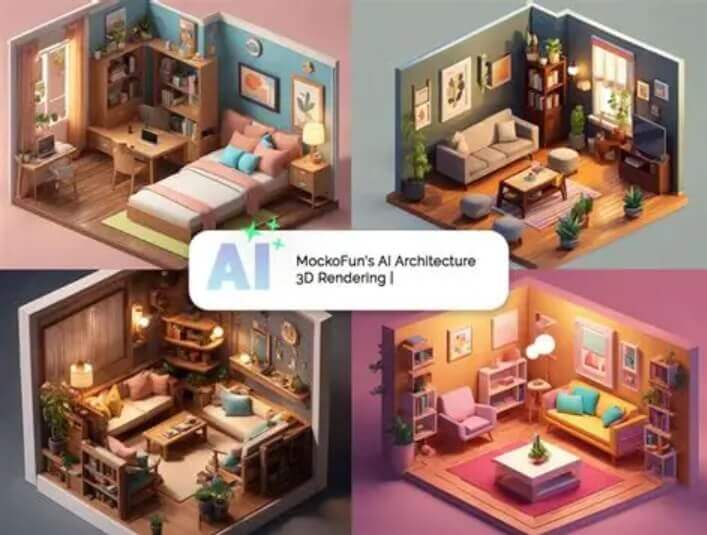
Your redesigned room will appear here
Upload a room photo on the left, pick a design style, then click Generate Room Design.
Designing your room…
This usually takes 10–60 seconds. Please keep this page open.
Oops, something went wrong
Don't Miss Out! These Free AI Tools Are Amazing
 AI Image Generator
 AI Clothes Changer
 AI Outfit Changer
 AI Pose Generator
 AI Virtual Model Generator
 AI Image Style Converter
 AI Body Modifier
 AI Face Swap
 AI Baby Generator
 AI Age Changer
 AI Pregnant Generator
 AI Gender Swap
 AI Object Remover
 AI Watermark Remover
 AI Background Remover
 AI Background Changer
 AI Photo Restoration
 AI Image Extender
 AI Image Enhancer
 AI Image Upscaler
 AI Headshot Generator
 AI Passport Photo Maker
 AI Hairstyle Changer
 AI Sticker Generator
 AI Makeup Application
 AI Nail Art Generator
 AI Tattoo Design
 AI Couple Wedding Style
 AI Group Photo Mixer
 AI Product Mockup Generator
 AI Image Prompt
 Image to Prompt
Design any room, exactly how you imagine it
Upload a photo of your bedroom, living room, kitchen or bathroom — pick a style — and the AI reimagines your space in seconds.
Realistic room makeover
The AI keeps your room actual layout, windows and proportions while redesigning furniture, colors and decor.
30+ design styles
From Modern, Scandinavian and Japandi to Luxe Art Deco, Blacktec, Loft and Mid-Century Modern — one-click looks.
Renders in ~30 seconds
No waiting lists, no design software — get a realistic interior redesign within about 30 seconds.
Custom prompt
Describe the details yourself, e.g. "white walls, light wooden floor, lots of natural light".
Any output size
Square, portrait or landscape — choose from 8 sizes for sharing or presentations.
Fast & private
Your photos are processed securely and deleted right after your result is ready.
Compare before renovating
Try different layouts and styles before moving furniture or spending on renovation.
Free & unlimited
100% free, no watermark, no sign-up, unlimited use.
How to use the AI room design generator
Upload a room photo, pick a design style, and let the AI redesign your space in seconds. Free, no sign-up, unlimited use.
Realistic redesign of your actual room
The AI keeps your room actual layout, windows and proportions while redesigning the furniture, colors and decor — so the result looks like a real interior, not a generic render.
Full control over every detail
Choose from 30+ design styles, or describe the details yourself with a custom prompt such as "white walls, light wooden floor, lots of natural light".
-
1
Upload your room photo
Drag & drop or browse a JPG, PNG or WEBP image of your bedroom, living room, kitchen or bathroom. It is processed securely and deleted right after.
-
2
Pick a design style
Choose one of 30+ design styles such as Modern, Scandinavian or Japandi — or add your own details with a custom prompt.
-
3
Refine & pick a size
Add extra design details with an optional prompt, then choose an output size from square to portrait or landscape.
-
4
Generate & download
Click Generate Room Design and download your new interior in one click, then save or share it with anyone.
What Our Users Say
Real reviews from creators, shop owners and designers who use this tool every day
“I sell furniture and used to shoot every piece against a plain wall. Now I drop my items into fully styled rooms first, so customers see how a sofa or shelf would really live in a home before they buy.”
“My videos often need a fresh set and I cannot afford to redecorate for every episode. I design the room look first, then only buy the pieces that actually appear on camera.”
“Real-estate clients ask me to make empty rooms feel warm. I generate styled versions from the plain photos and we agree on the mood before any physical staging is done.”
“Our home-brand campaigns need every room scene to feel like the same house. I build the backgrounds from one consistent style, so the whole catalog looks cohesive.”
“I moved into my first apartment with almost no budget. I tried layouts and paint colors on a photo of the empty room first, which stopped me from buying furniture that would not fit.”
“Makeover content works best with a strong before and after. I design the after shot on the current photo of the room, then clients see the concept before we move a single chair.”
“I was about to spend a lot on a living room makeover and could not decide between styles. Testing three designs on my own room photo made the choice obvious and saved me from an expensive mistake.”
“For product presentations I place my renders inside styled rooms instead of grey boxes. The scene sells the proportions and materials far better than a plain studio shot.”