
Online Free AI Room Design Generator
Upload a photo of any room — bedroom, kitchen, bathroom or living room — and let AI redesign it into a realistic, brand-new interior in about 30 seconds. Pick a style from Modern and Scandinavian to Industrial and Japandi, or describe exactly what you want — fast, simple and 100% free.
Drag & drop the room photo here
or browse files — JPG, PNG, WEBP • max 10MB
No image? Try one of these samples:
Result
AI Room Design Generator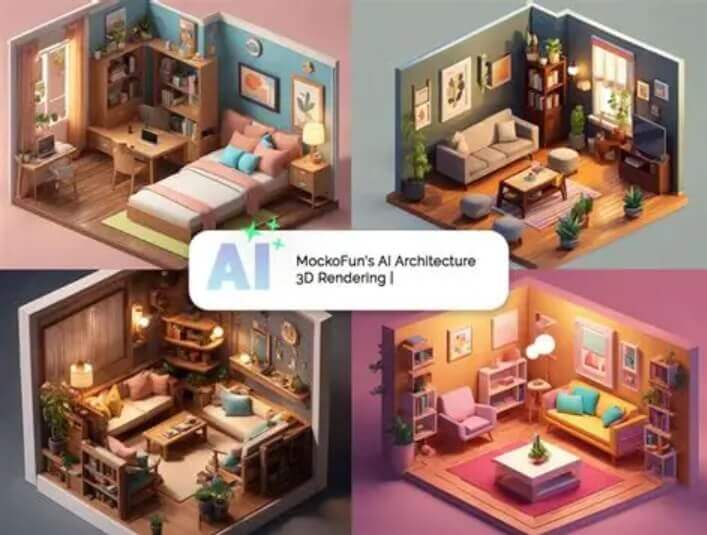
Your redesigned room will appear here
Upload a room photo on the left, pick a design style, then click Generate Room Design.
Designing your room…
This usually takes 10–60 seconds. Please keep this page open.
Oops, something went wrong
놓치지 마세요! 이 무료 AI 도구들 정말 유용해요
 AI 이미지 생성
 AI 버추얼 피팅
 AI 모델 피팅
 AI 란제리 가상 피팅
 AI 엑스레이 옷
 AI 포즈 생성기
 AI 가상 모델 생성
 AI 이미지 스타일 변환
 AI 바디 모디파이어
 AI 얼굴 교체
 AI 아기 생성기
 AI 나이 변환
 AI 임신 사진 생성
 AI 성별 변환
 AI 객체 제거
 AI 워터마크 제거
 AI 배경 제거
 AI 배경 변경
 AI 사진 복원
 AI 이미지 확장
 AI 이미지 향상
 AI 이미지 확대
 AI 헤드샷 생성
 AI 증명사진 제작
 AI 헤어스타일 변경
 AI 스티커 생성
 AI 메이크업
 AI 네일아트 생성
 AI 문신 디자인
 AI 커플 웨딩
 AI 단체 사진 믹서
 AI 제품 목업 생성
Design any room, exactly how you imagine it
Upload a photo of your bedroom, living room, kitchen or bathroom — pick a style — and the AI reimagines your space in seconds.
Realistic room makeover
The AI keeps your room actual layout, windows and proportions while redesigning furniture, colors and decor.
30+ design styles
From Modern, Scandinavian and Japandi to Luxe Art Deco, Blacktec, Loft and Mid-Century Modern — one-click looks.
Renders in ~30 seconds
No waiting lists, no design software — get a realistic interior redesign within about 30 seconds.
Custom prompt
Describe the details yourself, e.g. "white walls, light wooden floor, lots of natural light".
Any output size
Square, portrait or landscape — choose from 8 sizes for sharing or presentations.
Fast & private
Your photos are processed securely and deleted right after your result is ready.
Compare before renovating
Try different layouts and styles before moving furniture or spending on renovation.
Free & unlimited
100% free, no watermark, no sign-up, unlimited use.
How to use the AI room design generator
Upload a room photo, pick a design style, and let the AI redesign your space in seconds. Free, no sign-up, unlimited use.
Realistic redesign of your actual room
The AI keeps your room actual layout, windows and proportions while redesigning the furniture, colors and decor — so the result looks like a real interior, not a generic render.
Full control over every detail
Choose from 30+ design styles, or describe the details yourself with a custom prompt such as "white walls, light wooden floor, lots of natural light".
-
1
Upload your room photo
Drag & drop or browse a JPG, PNG or WEBP image of your bedroom, living room, kitchen or bathroom. It is processed securely and deleted right after.
-
2
Pick a design style
Choose one of 30+ design styles such as Modern, Scandinavian or Japandi — or add your own details with a custom prompt.
-
3
Refine & pick a size
Add extra design details with an optional prompt, then choose an output size from square to portrait or landscape.
-
4
Generate & download
Click Generate Room Design and download your new interior in one click, then save or share it with anyone.
사용자들의 실제 후기
크리에이터·쇼핑몰 사장님·디자이너가 이 도구를 사용한 실제 후기
“가구를 파는데 예전에는 모든 제품을 밋밋한 벽 앞에서만 촬영했어요. 이제 스타일링된 방 안에 제품을 배치해 보여주니 고객들이 소파나 선반이 집에서 실제로 어떻게 어울릴지 구매 전에 알 수 있어요.”
“영상마다 새로운 세트가 필요한데 매번 인테리어를 바꿀 수는 없어요. 먼저 방 분위기를 디자인한 다음, 실제로 카메라에 나올 가구만 구매해요.”
“부동산 고객들이 텅 빈 방을 따뜻하게 보여 달라고 해요. 일반 사진에서 스타일링된 버전을 생성해 실제 스테이징 전에 분위기를 함께 맞춥니다.”
“홈 브랜드 캠페인은 모든 방 장면이 같은 집처럼 느껴져야 해요. 하나의 일관된 스타일로 배경을 만들기 때문에 전체 카탈로그가 통일감 있게 보입니다.”
“예산이 거의 없는 채로 첫 아파트에 이사했어요. 빈방 사진에서 먼저 배치와 벽 색을 시도해서 맞지 않는 가구를 사지 않았어요.”
“리모델링 콘텐츠는 확실한 비포애프터가 가장 중요해요. 현재 방 사진 위에 애프터를 디자인해, 의자 하나 옮기기 전에 고객에게 콘셉트를 보여줘요.”
“거실 리모델링에 큰돈을 쓰려던 참에 스타일을 정하지 못하고 있었어요. 내 방 사진에서 세 가지 디자인을 테스트하니 선택이 분명해졌고 비싼 실수를 피할 수 있었어요.”
“제품 프레젠테이션에서 렌더를 회색 배경 대신 스타일링된 방 안에 배치해요. 평범한 스튜디오 컷보다 비율과 소재감이 훨씬 잘 전달됩니다.”